A skill is a package of instructions and supporting files that Claude loads when your request matches it. Instead of explaining your format, tone or checklist every time, you teach Claude once. The steps below come from Anthropic's own help pages and tutorial, checked on November 3, 2026. Menus change, so follow what you see on your screen.
The short answer
- What is a skill? A saved "how to do this task" guide that Claude uses automatically when it fits
- Best for: tasks you repeat, such as a weekly report, a blog checklist or your brand style
- How to turn it on: Settings, then Capabilities, enable code execution and file creation, then Customize, then Skills
- Easiest way to create one: describe the task to Claude and let it build the skill for you
- Only install skills you trust. Read what is inside before you turn one on
What Are Claude Skills?
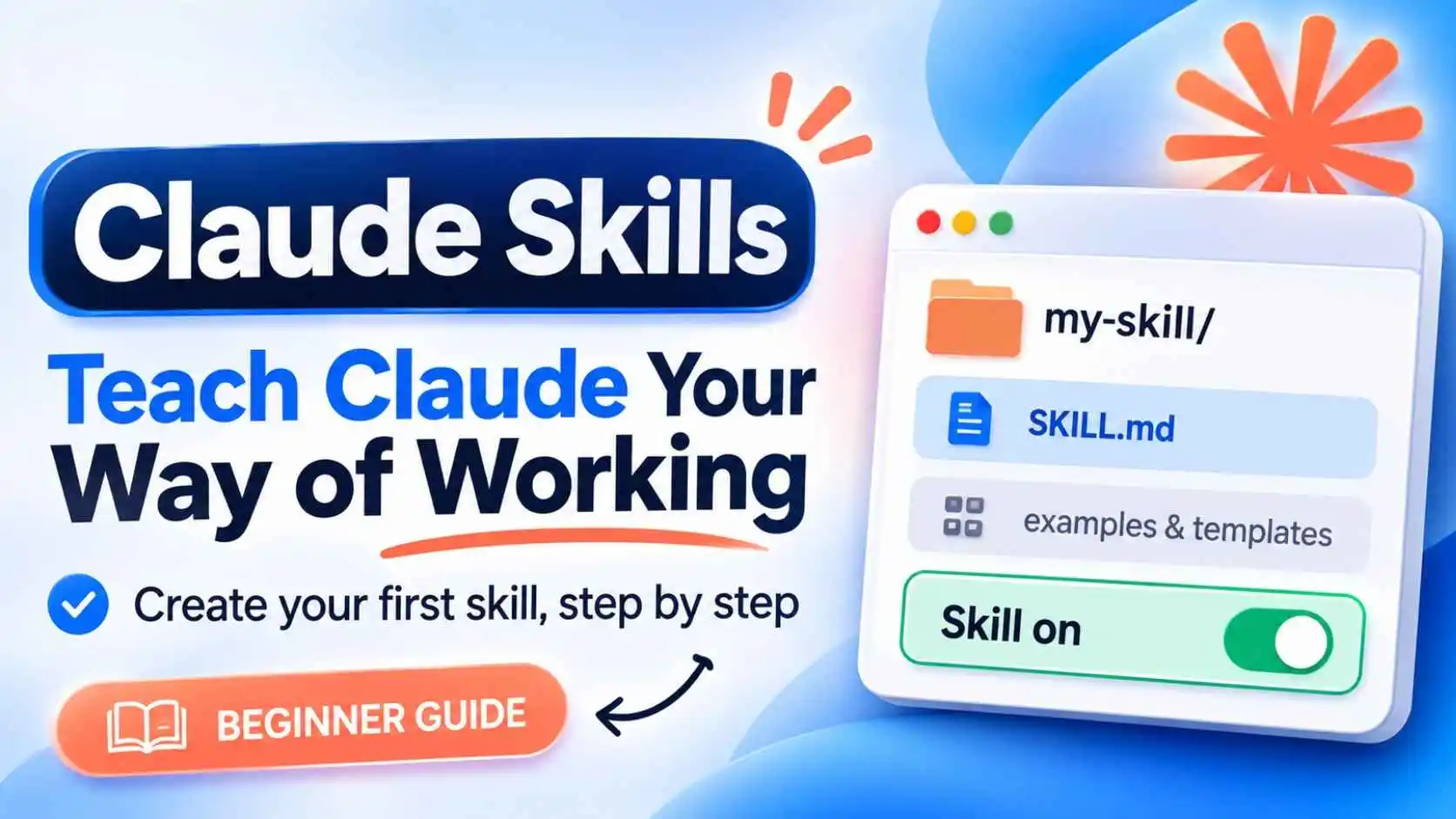
Anthropic says skills give Claude specialized knowledge and workflows for particular tasks. Each skill is a folder with instructions and, if you want, supporting files like templates or examples. Claude checks each skill's name and description, and uses the one that matches your request. You do not have to call it manually.
Anthropic also provides built-in skills for working with Excel spreadsheets, Word documents, PowerPoint presentations and PDFs. When code execution and file creation are on, Claude uses them automatically when relevant.
Skills vs Prompts vs Projects vs MCP
Prompts
One-off instructions in a single conversation. They do not persist.
Skills
Saved "how to do it" instructions for tasks you repeat. They persist across conversations.
Projects
A workspace with its own chat history, files and custom instructions. It gives Claude background knowledge. Anthropic says Projects are on paid plans.
MCP
A way to connect Claude to tools and data, such as Google Drive or GitHub. It gives access, while skills say what to do with it.
A simple rule from Anthropic: Projects say "here is what you need to know", and skills say "here is how to do it". If you keep retyping the same prompt, it is a good candidate for a skill.
How to Turn On Claude Skills
- Open Claude and go to Settings, then Capabilities
- Turn on code execution and file creation (it may be labeled "Create and edit files")
- Open Customize, then Skills
- Turn on the skills you want, including the built-in ones
Anthropic's help page lists skills for the Free, Pro, Max, Ultra, Team and Enterprise plans, and says code execution and file creation must be on. If you do not see Skills, check your plan and settings, or ask your admin if you use a work account.
How to Create Your First Skill (the Easy Way)
Anthropic's tutorial says you do not need technical skills. You describe the task to Claude, and Claude turns your description into a properly formatted skill file.
- Pick one task you repeat, where you already know what good output looks like
- Collect what makes the result good: your rules, structure, examples and templates
- Paste the prompt below into a new Claude chat, and fill in the brackets
- Review the skill Claude creates, and ask for changes in plain words
- Save it, then turn it on in Customize, then Skills
Copy-paste prompt:
Create a skill for me called [short-name]. It should [what the task is]. Follow these rules: [your rules]. Use this structure for the output: [your structure]. Here is an example of a good result: [paste an example]. Write a clear description that says when this skill should be used.
Example for bloggers: Create a skill called blog-seo-checker. When I paste a blog post, it should check that the title is under 60 characters, the meta description is under 155 characters, there is one H1, headings are clear, and the first paragraph includes the main keyword. Give me a short list of fixes.
How to Upload a Skill You Made Yourself
If you build a skill by hand, Anthropic's steps are:
- Create a folder with the skill. The folder must include a SKILL.md file
- Write a clear description, because Claude uses it to decide when to apply the skill
- Put the folder in a ZIP file
- Go to Customize, then Skills, click +, then Create skill, and choose Upload a skill
- Upload the ZIP, then turn the skill on
Anthropic's page says the folder name must match the skill name, and it points to a separate guide for the full file format. Custom skills stay private until you share them.
What If Claude Does Not Use My Skill?
Anthropic suggests these fixes:
- Check that the skill is turned on
- Make the description clearly say when the skill applies
- Make the instructions clear and well organized
- Be explicit in your request, for example, "Use my blog-seo-checker skill on this post"
Safety: Only Use Skills You Trust
Skills can include instructions, scripts and other files. Anthropic warns about prompt injection and data theft, and says to install skills only from trusted sources. Before you turn on a skill from someone else, read its files, especially scripts, dependencies and any instructions that connect to outside websites.
Skill Ideas for Creators and Freelancers
- Brand guidelines: your colors, fonts and tone, used when Claude makes slides or documents
- Blog SEO checker: title, description and heading checks before you publish
- Weekly report: the same structure every week
- Client email style: your usual greeting, length and sign-off
- Social post pack: one article turned into a caption, a hook and a call to action
How to Edit, Turn Off or Delete a Skill
In Customize, then Skills, use the toggle next to a skill to turn it on or off. To delete a custom skill, open it, turn it off, click the ... button next to the toggle, choose Delete and confirm. You can restore it by uploading the file again.
Keep Learning About Claude
New to Claude? Read our guides on Claude vs ChatGPT, how to get Claude free and Claude Duet.
Frequently Asked Questions
What are Claude Skills?
Claude Skills are packages of instructions and supporting files that Claude uses when a task matches them. They teach Claude how to do a task your way, so you do not retype the same prompt.
How do I turn on Claude Skills?
Go to Settings, then Capabilities, and turn on code execution and file creation. Then open Customize, then Skills, and switch on the skills you want.
How do I create a skill in Claude?
Describe the task to Claude and ask it to create a skill for you. Review the result, save it and turn it on. You can also upload your own skill as a ZIP file with a SKILL.md file inside.
What is the difference between Claude Skills and Projects?
Projects hold background knowledge, such as files and instructions. Skills hold a repeatable "how to do it" method. Anthropic says they can be used together.
Why is Claude not using my skill?
Check that the skill is turned on, that its description clearly says when to use it, and that its instructions are clear. You can also name the skill in your request.
Are Claude Skills safe?
Anthropic warns that skills can carry risks such as prompt injection and data theft. Only use skills from trusted sources and read their files before you turn them on.
Do I need to know how to code to make a skill?
No. Anthropic's tutorial says you can describe the task to Claude, and Claude turns it into a properly formatted skill file.