Introduction
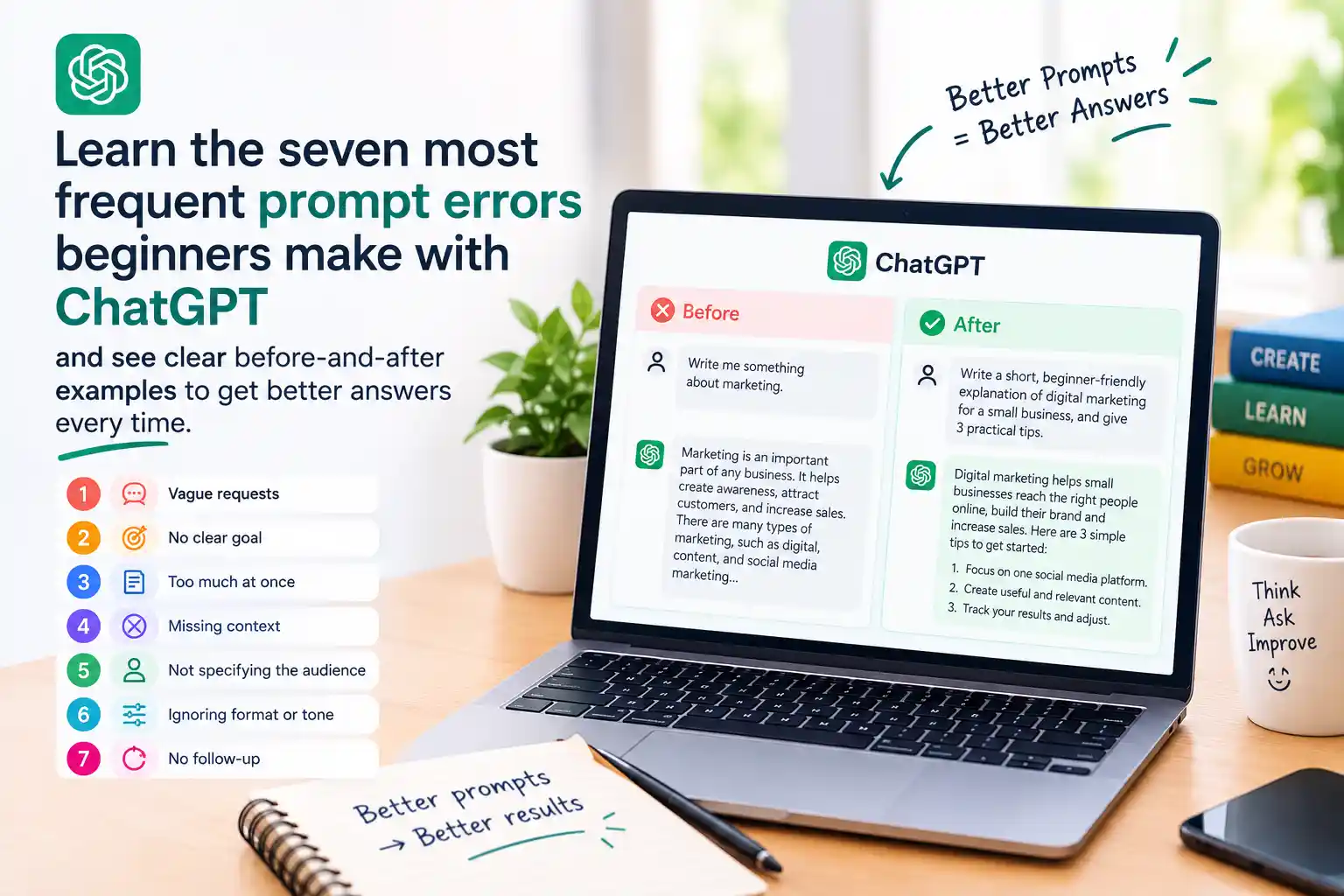
ChatGPT is powerful, but it only knows what you tell it. New users frequently write prompts that are too vague, lack context, or miss important instructions. The result is generic or off‑target answers that feel like a waste of time. Below we group the seven most common mistakes, show a weak prompt, and then rewrite it using the perfect prompt formula. By the end you’ll see a clear pattern you can apply to any request.
---
Mistake 1‑3: Too Vague, No Context, No Desired Format
1. Too Vague
Bad prompt: "Tell me about social media."
Why it fails: The model doesn’t know which platform, audience, or depth you need.
Better prompt: "Give me a 150‑word overview of the most effective Instagram marketing tactics for a small‑business bakery, focusing on visual content and community engagement."
2. No Context
Bad prompt: "Write a blog post."
Why it fails: Without a topic, tone, or audience, the output is generic.
Better prompt: "Write a friendly 800‑word blog post for beginner bakers about how to frost cupcakes evenly, using simple kitchen tools. Include a short intro, three step‑by‑step sections, and a concluding tip."
3. No Desired Format
Bad prompt: "Explain the benefits of remote work."
Why it fails: You might need bullet points, a table, or a short summary, but the model guesses.
Better prompt: "List five benefits of remote work for tech companies in a markdown table with two columns: Benefit and Brief Explanation."
These three errors share a root cause: the model doesn’t know what you want. Using the prompt formula – Task + Role + Context + Constraints – solves them quickly.
---
Mistake 4‑5: No Role Assignment & Overloading One Prompt
4. No Role
Bad prompt: "Give me a marketing plan for a new app."
Why it fails: The model doesn’t know whether to act as a strategist, a copywriter, or a data analyst.
Better prompt: "Act as a growth‑marketing strategist and outline a three‑month launch plan for a meditation‑app targeting busy professionals. Include acquisition channels, budget allocation, and key performance indicators."
5. Asking Everything in One Prompt
Bad prompt: "Explain blockchain, write a tweet about it, and give me a list of resources."
Why it fails: The model tries to juggle multiple tasks, often delivering shallow results for each.
Better prompt (split into two):
- "Act as a tech educator and give a concise 200‑word explanation of blockchain for non‑technical readers."
- "Now, as a social‑media copywriter, craft a single tweet (max 280 characters) that teases the concept and includes a relevant hashtag."
Breaking complex requests into focused prompts lets the model dive deeper and keeps the output tidy.
---
Mistake 6‑7: No Examples & No Follow‑up Questions
6. Not Giving Examples
Bad prompt: "Write a product description for a smartwatch."
Why it fails: The tone and length can vary wildly.
Better prompt: "Write a 120‑word product description for the X‑Fit smartwatch. Use a tone similar to this example: ‘The X‑Fit blends sleek design with powerful health tracking, keeping you motivated every step of the way.’ Highlight battery life, heart‑rate monitoring, and water resistance."
7. Not Asking Follow‑up Questions
Bad prompt: "Give me a summary of the article."
Why it fails: You may need clarification, deeper insight, or a specific angle, but the model stops after the first answer.
Better approach: After receiving the summary, ask a follow‑up like, "Can you expand on the section about user privacy and list three actionable recommendations?" This iterative style refines the output and mirrors a real conversation.
---
Quick Checklist
Prompt Improvement Checklist
- Be specific: State the exact topic, audience, and length.
- Add context: Include background information the model needs.
- Define format: Mention bullet points, tables, tone, or style.
- Assign a role: Tell the model who it should act as.
- Split complex tasks: Use separate prompts for distinct goals.
- Provide examples: Show a short sample of the desired output.
- Iterate: Follow up with clarifying questions.
---
Further Resources
- Learn the full prompt formula in our tutorial: Master the perfect chatgpt prompt formula.
- Speed up your workflow with keyboard shortcuts: 85 ChatGPT Shortcuts That Actually Work (+ How to Set Them Up).
Use these resources to turn the checklist into a habit, and you’ll see noticeably better answers from ChatGPT in minutes.
Frequently Asked Questions
Why does a vague prompt give generic answers?
ChatGPT can only respond to the information you provide. Without specifics, it guesses the most common interpretation, which often results in generic output.
Do I always need to assign a role in my prompt?
Assigning a role isn’t mandatory, but it guides the model’s tone and expertise, leading to more relevant and polished responses.
How many follow‑up questions should I ask?
Ask as many as needed to clarify or deepen the answer. Each follow‑up refines the result, so treat the interaction as a conversation.