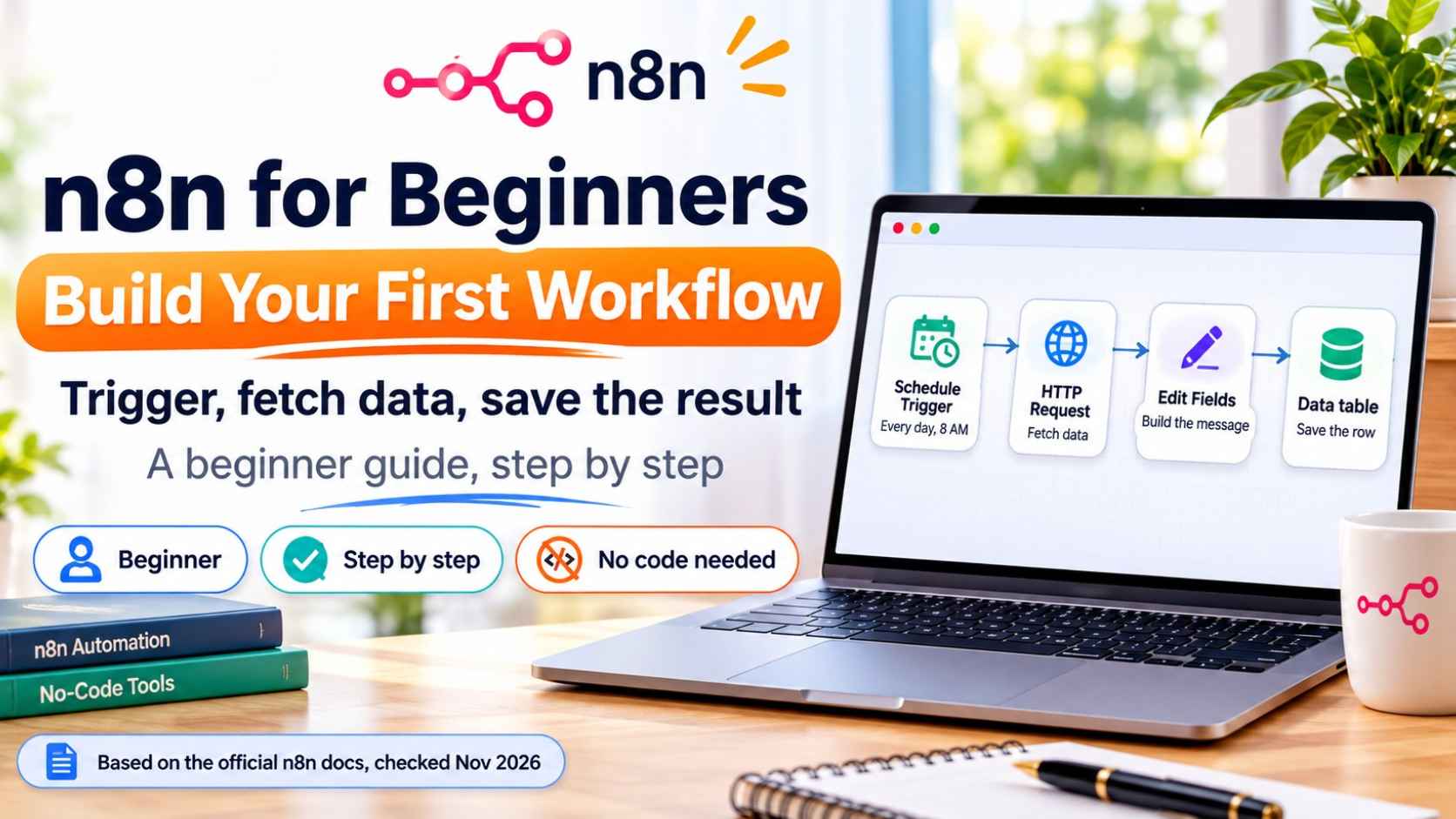
An n8n workflow is a chain of steps, called nodes. One node starts the workflow (the trigger), and the others do the work. The steps below follow n8n's own "first workflow" tutorial, checked on November 4, 2026. Menus change, so follow what you see on your screen.
The short answer
- What you build: a workflow that runs daily at 8 AM, fetches a weather report, builds a sentence and saves it in a table
- Nodes used: Schedule Trigger, HTTP Request, Edit Fields and Data table
- What you need: an n8n account (Cloud, which n8n offers with a free trial) or your own self-hosted n8n
- Coding: none
- Time: about 15 minutes
What Is n8n?
n8n lets you automate repeated work: send a message when a form is filled, save data to a sheet, or run a task every morning. You build it visually on a canvas by adding nodes and connecting them. You can use n8n Cloud, or run n8n yourself. For your first workflow, Cloud is the quickest way to start because there is nothing to install.
What You Will Build
Schedule Trigger
Starts the workflow every day at 8 AM.
HTTP Request
Fetches data from a web address. The official tutorial uses a sample weather API.
Edit Fields
Builds a readable sentence from the data.
Data table
Saves each result as a new row.
Step 1: Create a Workflow
- Log in to n8n
- Select Personal, then Create workflow
- Rename the workflow, for example Daily weather log
Step 2: Add the Schedule Trigger
- Click Add first step, then choose On a schedule
- Set Trigger at Hour to 8
- Rename the node to something clear, such as Every morning
Step 3: Fetch Data with HTTP Request
- Add an HTTP Request node after the trigger
- Paste the sample weather URL from n8n's tutorial page into the URL field
- Select Execute step. You should see data such as the city, temperature and condition
The HTTP Request node is the one you will use most. It can fetch data from almost any service that has an API.
Step 4: Build a Message with Edit Fields
- Add an Edit Fields (Set) node
- Click Add Field and name it
report - Drag the fields city, temp_c and condition from the left panel into the value, and add words between them to make a sentence
Example result: Berlin: 14 degrees, cloudy (your values will come from the live data)
Step 5: Save It in a Data Table
- Add a Data table node and choose Insert row
- Create a new data table with one column named
report - Set Mapping Column Mode to Map Automatically
Step 6: Test, Then Publish
- Select Execute to run the whole workflow once. All four nodes should show green checks
- Open Personal, then Data tables, and check that your row was saved
- Select Publish in the top bar so the schedule runs by itself
Prefer to Let AI Build It?
n8n's tutorial also shows a faster option: use the n8n Assistant. Select New chat, describe the workflow in plain words, approve the prompts with Allow once, run a test, then choose Publish and enable the schedule. It is a good way to learn, but still open each node afterwards to see what it does.
Common Problems and Fixes
- A node shows a red error: open it, read the message, and check the field names. Small spelling differences break expressions
- No data in Edit Fields: run the previous node first with Execute step, so the fields appear in the left panel
- The schedule does not run: check that the workflow is published, and check the hour and time zone
- Nothing in the table: check that Mapping Column Mode is Map Automatically and the column name matches
Beginner Workflow Ideas for Your Own Business
- Lead alert: when someone fills your contact form, send yourself a message
- Content log: save every new blog idea to a table or sheet
- Weekly report: collect numbers once a week and save them in one place
- Draft helper: send a topic to an AI model and save the draft for you to review before publishing
Keep Learning
Want AI in your workflows? Read our guides on Claude Skills, Claude vs ChatGPT and free AI plans compared.
Frequently Asked Questions
What is n8n?
n8n is a workflow automation tool. You connect nodes on a canvas so apps and tasks run automatically, such as fetching data every morning and saving it to a table.
Do I need to code to use n8n?
No. n8n's first workflow tutorial says no coding experience is required. You build with nodes and settings, and use simple expressions by dragging fields.
Is n8n free?
n8n Cloud offers a free trial, and n8n can also be self-hosted. Plans and limits change, so check n8n's pricing page before you choose.
What is a node in n8n?
A node is one step in a workflow. A trigger node starts the workflow, and other nodes fetch data, change it or send it somewhere.
How do I run an n8n workflow every day?
Use a Schedule Trigger node, set the hour you want, test the workflow with Execute, then Publish it so the schedule runs automatically.
Why is my n8n workflow not running?
Check that the workflow is published, that the schedule hour and time zone are correct, and that no node shows a red error.
Should I use Cloud or self-hosted n8n?
Cloud is quicker for beginners because there is nothing to install. Self-hosting gives you more control but you must manage the server yourself.