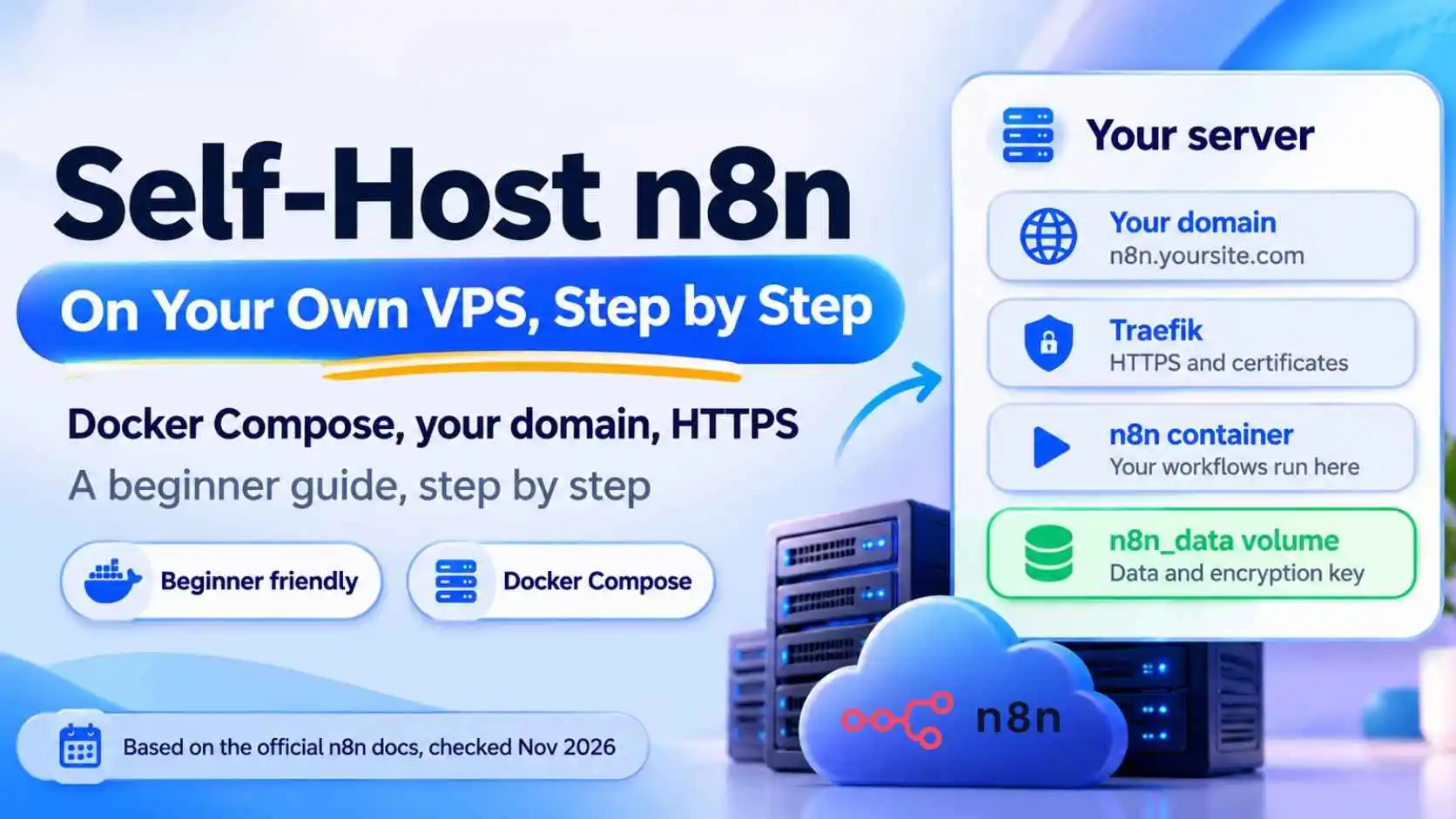
To self-host n8n you rent a small Linux server (a VPS), install Docker, and run n8n in a container behind a proxy that gives you HTTPS. The steps below follow n8n's own Docker Compose guide, checked on November 6, 2026. n8n says you need some server experience for this. If that is new to you, n8n Cloud is the easier route. Commands and file contents can change, so check n8n's page for the latest.
The short answer
- What you need: a Linux VPS, a domain name you control, and Docker Engine with Docker Compose
- What you install: n8n (
n8nio/n8n) and Traefik, which handles HTTPS certificates - Main command:
sudo docker compose up -d - Most important file to protect: the
n8n_datavolume, which holds your database and encryption key - Update with:
docker compose pull,docker compose down, thendocker compose up -d
Should You Self-Host n8n?
Self-hosting avoids n8n Cloud plan fees, but you become the person who runs the server. You handle updates, backups and fixes. It is a good fit if you are comfortable with a terminal, or want to learn. Not sure about costs? Read our guide on n8n pricing. n8n also notes that its free Community Edition leaves out some features that are paid-only.
What You Need Before You Start
- A Linux VPS from any provider. n8n's page does not give minimum RAM or CPU, so check your provider and n8n's docs
- A domain name you control, so n8n can run on an address like
n8n.yoursite.com - Docker Engine and Docker Compose installed. Check with
docker --versionanddocker compose version - An email address for your HTTPS certificate
Step 1: Point Your Domain to the Server
In your domain's DNS settings, create an A record for a subdomain, such as n8n, that points to your server's IP address. DNS can take a little time to update.
Step 2: Create a Project Folder
Connect to your server and run:
mkdir n8n-compose
cd n8n-compose
Step 3: Create the .env File
Create a file named .env in that folder with these four settings:
What to put in .env
- DOMAIN_NAME: your main domain, for example
example.com - SUBDOMAIN: for example
n8n, so n8n opens athttps://n8n.example.com - GENERIC_TIMEZONE: your timezone, for example
Europe/Berlin. n8n says New York is the default if you do not set it - SSL_EMAIL: your email, used to create the HTTPS certificate
The timezone matters for schedule-based workflows, because it controls when a Schedule Trigger runs.
Step 4: Create a Shared Files Folder
Run mkdir local-files. This folder is shared between your server and n8n. Inside n8n, you use the path /files to reach it.
Step 5: Create the compose.yaml File
Create a file named compose.yaml. n8n's guide uses two services: Traefik, which manages HTTPS certificates and routing and listens on ports 80 and 443, and n8n, using the image n8nio/n8n.
Copy the full file from n8n's own Docker Compose page (linked in the sources below), because it contains exact labels and flags that must not be retyped by hand. These are the n8n settings to look for:
Key n8n settings in the file
- N8N_HOST: your subdomain and domain
- N8N_PROTOCOL:
https - NODE_ENV:
production - N8N_WEBHOOK_URL:
https://plus your subdomain and domain and a final/(on versions before 2.30.0, n8n says to useWEBHOOK_URL) - GENERIC_TIMEZONE and TZ: your timezone from the .env file
- Volumes:
n8n_datafor the database and encryption key, and./local-filesfor shared files
Step 6: Start n8n
Run:
sudo docker compose up -d
To stop it later, run sudo docker compose stop.
Step 7: Open n8n in Your Browser
Go to your subdomain, for example https://n8n.example.com. n8n says it is reachable over HTTPS only, not plain HTTP. If the page does not open, check your DNS record and your server's firewall.
How to Update n8n
n8n's documentation gives these Docker Compose update steps:
- Go to the folder that contains your compose file
- Run
docker compose pullto download the latest version - Run
docker compose downto stop and remove the old container - Run
docker compose up -dto start the new one
n8n says to use the stable version for production, and that beta can be unstable. Your data stays in the n8n_data volume, so do not delete that volume. Do not add the -v option to docker compose down, because it can remove volumes.
Back Up Your Data
The n8n_data volume holds your workflows, credentials and the encryption key. If you lose the encryption key, saved credentials cannot be read. Make regular backups of this volume and keep a copy away from the server. Before each update, take a backup first.
Common Problems and Fixes
- The page does not open: check that your A record points to the right IP and that ports 80 and 443 are open in the firewall
- Webhooks from other apps fail: check that
N8N_WEBHOOK_URLis your real HTTPS address, with the final slash - Schedules run at the wrong hour: check
GENERIC_TIMEZONEandTZ - No HTTPS certificate: check the SSL email, and that your domain already points to the server
After You Self-Host: What to Build
Once n8n runs, build your first automation with our n8n beginners tutorial. You can also add AI to your workflows with ideas from our Claude Skills tutorial.
Frequently Asked Questions
How do I self-host n8n?
Rent a Linux VPS, install Docker and Docker Compose, point a domain to the server, create a .env and compose.yaml file, then run docker compose up -d. n8n's Docker Compose guide gives the steps.
What do I need to self-host n8n?
A Linux server, a domain name you control, Docker Engine with Docker Compose, and an email address for the HTTPS certificate.
Is self-hosting n8n free?
The Community Edition has no license fee, but you pay for your own server and your time. Some features are paid-only.
How do I update self-hosted n8n?
With Docker Compose, go to your compose folder and run docker compose pull, then docker compose down, then docker compose up -d. Back up your data first.
Where does n8n store my data?
By default in a SQLite database inside the n8n_data volume, which also holds the encryption key. Back this volume up.
Why do my n8n webhooks not work?
Check that the webhook URL setting is your real HTTPS address, and that your domain, firewall and certificate work.
Do I need a domain name to self-host n8n?
n8n's Docker Compose guide uses a domain so Traefik can create an HTTPS certificate. Other setups exist, but this is the one this tutorial follows.